
Project retrospective | Updated October 2026
What happens when you combine artificial intelligence, a browser-based 3D game engine, and a willingness to experiment?
You might end up building an entire survival game.
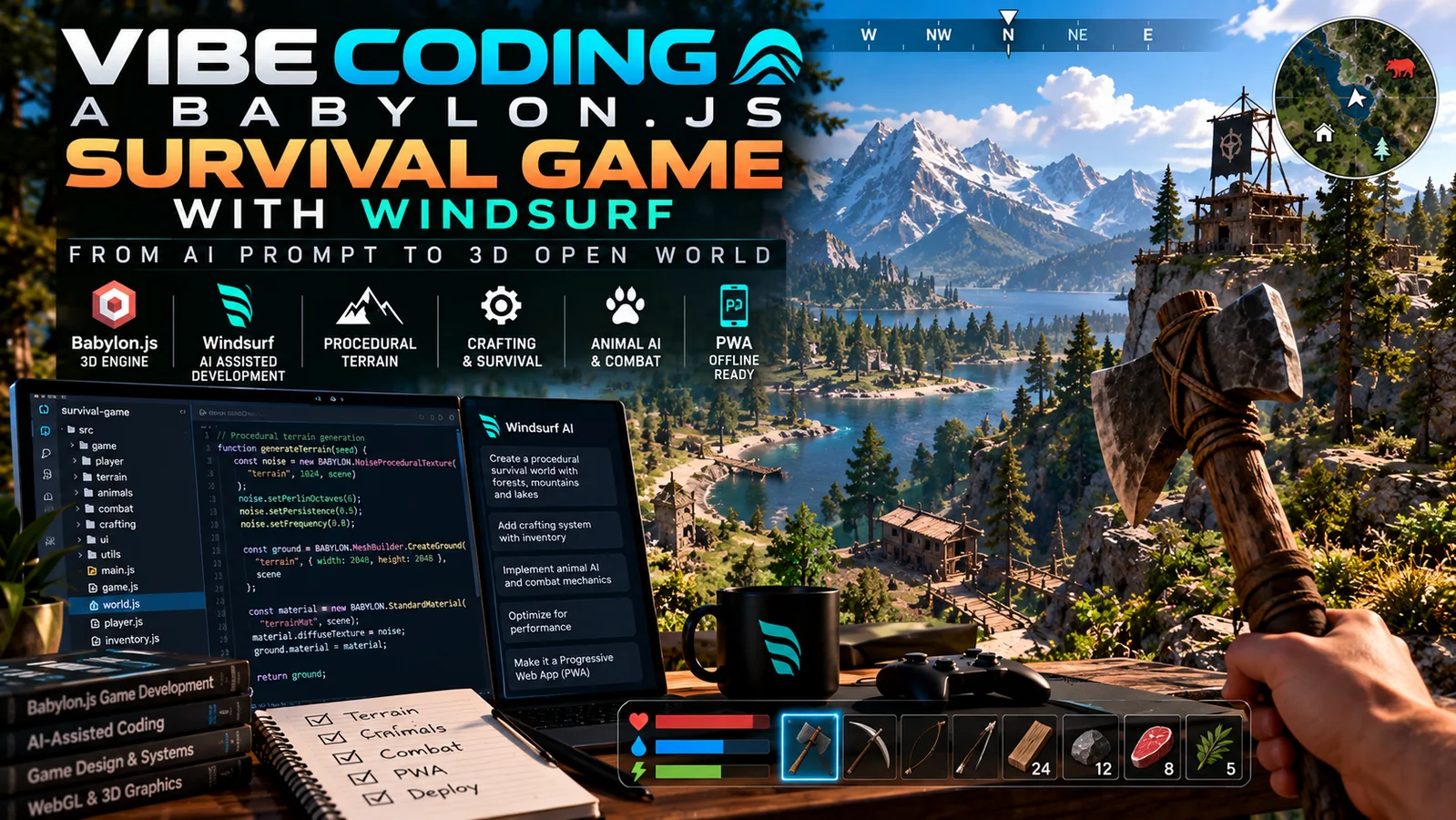
That’s the idea behind one of my experimental development projects: a 3D survival game built with Babylon.js, exploring how AI-assisted coding can accelerate development while introducing challenges around architecture, debugging, and maintainability.
For this project, I explored the increasingly popular approach known as vibe coding, using an AI-assisted development workflow with Windsurf to help turn ideas into working game mechanics.
The goal wasn’t simply to generate a few lines of JavaScript.
I wanted to explore how far I could take a browser-based 3D survival game, incorporating procedural terrain, resource collection, crafting, animal behavior, combat, and even offline Progressive Web App functionality.
Along the way, the project became an interesting lesson in the difference between generating software quickly and engineering software that remains manageable as it grows.
Explore the source code on GitHub:
https://github.com/CptNope/survival-game
What Is Vibe Coding?
Vibe coding is a term commonly used to describe building software by communicating requirements to an AI coding assistant using natural language.
Instead of manually writing every function, developers can describe what they want to build, review generated implementations, test the results, and iterate.
Tools such as Windsurf make this workflow particularly interesting because they bring AI assistance into a development environment where source files and project context are accessible.
For example, a developer might request:
“Create a procedurally generated forest environment with collectible resources, first-person movement, and a day/night cycle.”
An AI assistant can help translate those requirements into code.
But the result still needs to be tested, evaluated, and refined.
This distinction became especially important during my survival game experiment.
AI can accelerate development, but it doesn’t eliminate the need for software engineering.
Why I Chose Babylon.js
For the 3D engine, I chose Babylon.js.
Babylon.js is an open-source JavaScript framework for building interactive 3D experiences that run in modern web browsers.
It provides a powerful foundation for rendering environments, managing cameras, creating meshes, handling animations, and building interactive applications.
I liked the idea of creating something that didn’t require a traditional desktop game installation.
With browser-based technologies, the same general application can be accessed through a URL and potentially extended into a Progressive Web App.
Another benefit is the ability to use familiar web-development technologies such as JavaScript, HTML, and CSS.
That made Babylon.js an interesting choice for an experimental AI-assisted game-development project.
Building a Procedurally Generated Survival World
One of the first major features was terrain generation.
Instead of manually designing every section of the environment, I wanted the game to generate terrain using mathematical rules.
The project uses procedural terrain techniques, including Perlin noise and chunk-based generation.
Noise functions can create natural-looking height variations, while chunking provides a way to divide terrain into manageable sections.
This architecture is valuable because generating an entire world at once can become extremely expensive.
By organizing the environment into chunks, a game can potentially manage which sections need to be generated, updated, or rendered.
The survival game also includes a safe spawning area designed to provide relatively flat, unobstructed terrain when the player first enters the world.
This sounds like a minor feature, but it demonstrates an important aspect of game design: technically impressive terrain generation isn’t useful if the player spawns inside an obstacle or immediately falls into an inaccessible location.
Resource Harvesting and Crafting
A survival game needs more than an environment.
It needs systems that allow players to interact with the world.
I introduced resource harvesting mechanics involving objects such as trees and rocks.
Players can collect materials and use those resources through an inventory and crafting interface.
The repository documents tools and building materials, including crafting recipes for items such as planks.
These systems create the beginnings of a survival gameplay loop:
Explore → Gather → Craft → Improve → Explore Further
Even simple mechanics become much more interesting when they interact with one another.
And they create new development challenges.
Resource harvesting must communicate with inventory management. Crafting must verify available materials. The interface must reflect changes to the player’s resources.
These connections become increasingly complicated as a game grows.
Animal AI and Combat Mechanics
Another area I explored was adding animals to the environment.
The repository includes an animal system responsible for spawning and managing behavior.
I also introduced combat mechanics, experience tracking, and player progression.
Players can interact with animals through attacks and gain experience through the game’s combat systems.
These features demonstrate how several independent game systems need to communicate.
The animal system manages the creatures.
The combat system handles damage and attacks.
The player system manages movement and state.
The UI displays relevant feedback.
The challenge is making these components work together without creating a tangled codebase.
Adding a Day/Night Cycle
Dynamic lighting is one of the features that can make a relatively simple 3D world feel more alive.
The project includes a day/night cycle that changes the environment’s lighting over time.
This allows the world to transition through different lighting conditions rather than remaining at a fixed time of day.
Environmental systems like these also create opportunities for future gameplay mechanics.
For example, a more advanced survival game might introduce creatures that behave differently at night, changing weather conditions, or resources that become available during specific periods.
Those are possible development directions rather than claims about completed functionality.
The Flying Mechanic: An Unexpected Feature
One of the more entertaining additions was a flying mechanic activated by a double jump.
The player can jump, trigger flight through a second jump, and move vertically using the keyboard.
According to the project’s documented controls:
- Double-tapping Space activates flying.
- Holding Space allows the player to ascend.
- Holding Ctrl allows the player to descend.
- Pressing Space again deactivates flight.
Flying may not be the first mechanic someone expects in a survival game, but it was useful for experimenting with movement, camera behavior, and navigation.
It also made exploring and testing procedurally generated terrain much easier.
When AI-Generated Code Gets Too Large
One of the most important lessons from this project wasn’t about game mechanics.
It was about architecture.
The original implementation grew into a JavaScript file containing more than 1,000 lines of code.
This approach can work for an early prototype.
But as additional systems are introduced, a monolithic codebase becomes increasingly difficult to manage.
A change to player movement might accidentally interfere with combat.
A change to the terrain system might affect object placement.
Debugging becomes harder because unrelated systems share the same files and depend on one another.
This is one of the risks of rapid AI-assisted development.
It’s possible to generate functionality faster than the underlying architecture can accommodate it.
Eventually, the project needed to be reorganized.
Refactoring the Game into Modular JavaScript Components
To improve maintainability, I reorganized the project into separate JavaScript modules.
The architecture includes:
Terrain system: Procedural terrain generation and chunk management.
Player system: Movement, camera behavior, physics, and flight.
Inventory system: Resources and crafting.
Animal system: Animal spawning and behavior.
Combat system: Attacks, damage, experience, and progression.
UI system: Interface elements and player feedback.
A central game class coordinates these components.
The result is a much clearer separation of responsibilities.
This makes it easier to identify which part of the application needs attention and reduces the likelihood that every new feature will require changes across an enormous source file.
For me, this was one of the most valuable parts of the experiment.
It reinforced the importance of knowing when to move from rapid prototyping into structured development.
Turning the Game into a Progressive Web App
I also wanted to explore the possibility of making the game installable.
The repository includes a web app manifest and service worker, providing the foundation for Progressive Web App functionality.
This approach allows the project to use browser technologies while supporting app-like installation and caching capabilities.
Offline functionality requires careful testing, particularly when external libraries or assets are loaded from a CDN.
Nevertheless, combining Babylon.js with PWA technologies demonstrates how far modern web application development can extend beyond traditional websites.
What I Learned About Vibe Coding
After building and restructuring the survival game, several lessons stood out.
1. AI Is Excellent for Rapid Experimentation
When you’re exploring an unfamiliar API or testing a new game mechanic, AI assistance can significantly accelerate the initial implementation.
It’s especially useful for generating starting points, explaining unfamiliar patterns, and helping investigate errors.
2. Clear Requirements Produce Better Results
Vague instructions often lead to vague implementations.
Breaking a feature into smaller, testable requirements makes it easier to evaluate what the AI generates.
3. Architecture Matters More as Projects Grow
A prototype and a maintainable application have different requirements.
The larger a project becomes, the more important component boundaries, consistent naming, and clear dependencies become.
4. Test Every Major Change
AI-generated code can introduce bugs even when it appears reasonable.
Testing movement, inventory interactions, terrain generation, and other gameplay systems is essential.
5. Version Control Is Your Safety Net
Using Git makes it possible to track changes, create experimental branches, and return to known-good versions if a new implementation causes problems.
For AI-assisted development, this is particularly valuable.
6. AI Doesn’t Replace Understanding
A generated solution is only useful if you can evaluate whether it solves the intended problem.
The more complex the application, the more important that understanding becomes.
How I Would Approach the Project Today
If I were starting the project again in 2026, I would begin with a modular architecture rather than waiting for the codebase to become difficult to maintain.
I would define the core game systems, organize shared state carefully, and introduce automated testing where practical.
I would also consider more deliberate performance profiling, asset optimization, and a structured approach to saving and restoring game progress.
AI-assisted coding would remain part of the process, but I would use it within a development workflow that includes source control, incremental changes, and repeatable validation.
The objective would be to combine the speed of AI-assisted development with the reliability of conventional software engineering.
Try the Babylon.js Survival Game
The source code is publicly available on GitHub.
GitHub Repository:
https://github.com/CptNope/survival-game
The project includes setup instructions, source files, and documentation explaining the game architecture and controls.
You can clone the repository and run it through a local web server to explore the implementation.
The repository is also available for developers interested in studying procedural terrain, JavaScript game architecture, browser-based rendering, and Progressive Web App development.
Final Thoughts: Vibe Coding Meets Software Engineering
This project started as an experiment in building a 3D survival game with AI-assisted development.
It evolved into something more educational.
It demonstrated how quickly developers can explore ideas using modern AI tools and how important traditional development practices remain once those ideas grow into complex applications.
For me, the most important takeaway wasn’t that AI could help generate a survival game.
It was that the combination of AI assistance, human judgment, thoughtful architecture, and iterative testing can create a more effective development process.
Vibe coding can get an idea moving. Software engineering is what helps it grow.
About the Author
I’m Jeremy Anderson, a developer, cybersecurity specialist, and AI consultant focused on custom web applications, WordPress development, automation, and emerging technologies.
Through Jeremy Anderson Tech, I explore practical ways to combine artificial intelligence with modern software engineering.
See the project
The Babylon.js Survival Game project page has the features, tech stack and links in one place.
Working on something like this? See full-stack and custom development, or book a free 30-minute call.
