
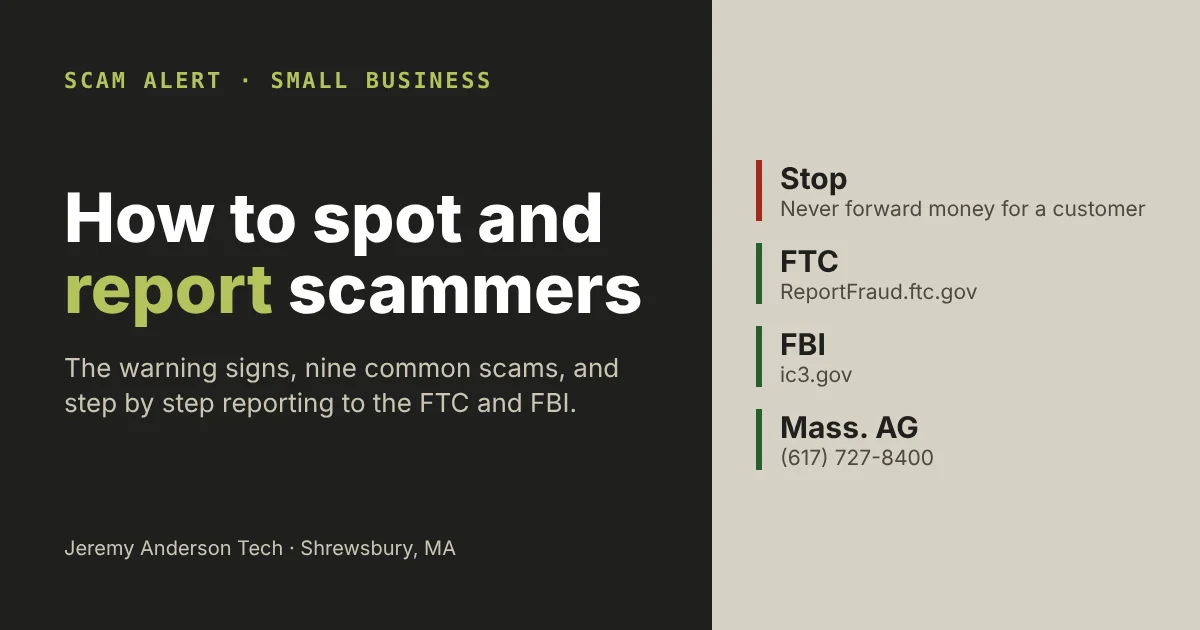
To report a scam in the US, file a report with the FTC at ReportFraud.ftc.gov (or call 1-877-382-4357), and if it happened online, also file a complaint with the FBI’s Internet Crime Complaint Center at ic3.gov. In Massachusetts you can also file a consumer complaint with the Attorney General. Forward phishing emails to reportphishing@apwg.org and spam texts to 7726. If you’ve already sent money, call your bank or card company first. Below are common scams aimed at small businesses, how to spot each one, and exactly how to report it.
Why I wrote this: a scammer recently tried it on me
A “client” recently contacted me about a project. They wanted to pay by credit card, and the conversation kept steering toward bringing in another vendor that I would pay on their behalf out of their payment. That is the shape of a well-known scam: the card is often stolen, the extra money you send on to the “vendor” goes to the scammer, and weeks later the real cardholder disputes the charge. The chargeback takes the money back out of your account, and the payment you forwarded is gone.
I spotted it, but it’s a good reminder that scammers target small businesses and freelancers every day, and that most people don’t know where to report them. So here is the guide I wish every business owner had: how to spot a scam, and how to report a scam once you’ve found one.
The warning signs almost every scam shares
- You’re asked to send money on to someone else: a “vendor”, “shipper”, “contractor” or the difference from an overpayment.
- Payment by gift card, wire transfer or cryptocurrency. The FTC warns not to pay anyone who demands these.
- Urgency or fear: your account will be closed, your listing removed, your site taken down, today.
- A deal that’s too easy: a new client who agrees to everything without questions, or pays more than you asked.
- Someone claiming to be a company or government agency you didn’t contact. Caller ID and email names can be faked.
- Requests for passwords, codes or remote access to your computer.
- Pressure to keep it secret or to skip your usual process.
Common scams and how to spot them
Knowing how to report a scam starts with recognizing one. For example, each of these scams below has a pattern you can learn to spot, and for each one the reporting steps later in this guide apply.
1. The credit card “pay another vendor” scam
This is the one that came to me. A new customer orders a service or product, pays by credit card, and asks you to charge more than your price so you can pay a third party for them: a shipper, a supplier, a designer, a “consultant”. Canada’s Anti-Fraud Centre describes this exact pattern as a way fraudsters “turn stolen credit cards into cash”. When the real cardholder disputes the charge, the business has to refund it, and the money you forwarded is lost.
- Signs: a new client who wants you to pay someone else, asks you to charge extra, pushes for rush delivery, or can’t be reached by phone.
- Protect yourself: never pass money on to a third party for a customer. Charge only for your own work, and refund only to the original card.
2. Fake check and overpayment scams
The same idea with a check. The scammer “accidentally” overpays and asks you to send back the difference, or send it to someone else. The FTC warns that the check may look like it has cleared, but if it turns out to be fake, you owe the bank the money you sent.
- Signs: any overpayment followed by a request to send money back or on.
- Protect yourself: don’t send anything back until your bank confirms the check is genuine and paid, and be suspicious of any overpayment at all.
3. Phishing emails and texts
Fake messages that look like they come from your bank, your web host, Google, a delivery company or a supplier, built to get your password or payment details. Phishing was the most reported crime to the FBI in 2025, with 191,561 complaints.
- Signs: a link to “verify” or “update” your account, a sender address that doesn’t match the company, an unexpected invoice or attachment.
- Protect yourself: don’t click. Go to the company’s site by typing its address yourself, and turn on two-factor authentication.
4. Business email compromise
A scammer takes over or imitates the email of someone you trust, such as a supplier, your boss or your accountant, and asks you to pay an invoice or change the bank details for a payment. It caused over $3 billion in reported losses to the FBI in 2025.
- Signs: new bank details, an urgent payment request, or a slightly different email address.
- Protect yourself: confirm any change in payment details by calling a number you already have, never one in the email.
5. Business and government impersonation
Calls or emails claiming to be from a utility, a government agency, the US Patent and Trademark Office or a tech company, warning of a problem that only an immediate payment will fix. The FTC lists these among the top scams aimed at small businesses.
- Signs: threats, deadlines, and payment by gift card, wire or crypto.
- Protect yourself: hang up and contact the organization through its official website or a number from your own records. Don’t trust caller ID.
6. Fake invoices and listing scams
Bills for things you never ordered, or a caller offering a “free” business listing who just wants you to “confirm” your details, followed by a large bill. The FTC also warns about offers to remove bad reviews or add good ones; buying fake reviews is illegal.
- Signs: an invoice from a company you don’t recognize, or a “confirmation” call you didn’t expect.
- Protect yourself: check every invoice against what you actually ordered, and don’t pay for anything you didn’t order.
7. Tech support scams
A pop-up or call says your computer or website has a security problem and offers to fix it, then asks for payment or remote access. Reported losses to tech and customer support scams were over $2.1 billion in 2025.
- Signs: an unexpected warning with a phone number to call, or a caller asking to “connect” to your computer.
- Protect yourself: close the page, never give remote access to someone who contacted you first, and call the IT person or company you already work with.
8. Investment and cryptocurrency scams
Someone you met online offers a can’t-miss investment, often in cryptocurrency, and shows you fake profits to get you to send more. These caused the largest losses reported to the FBI in 2025: over $8.6 billion.
9. “We can recover your money” scams
After you’ve lost money, someone contacts you claiming to be from the FBI’s IC3 or a recovery company and offers to get it back for a fee. The FBI says the IC3 does not contact people by phone, email, social media or apps, does not charge fees to recover money, and does not refer victims to companies that do.
How to report a scam to the FTC
The Federal Trade Commission collects scam reports from consumers and businesses and shares them with law enforcement. Report even if you didn’t lose money; the FTC says your report can help stop the scam.
- Go to ReportFraud.ftc.gov and select Report Now, or call 1-877-382-4357.
- Choose the category that best fits what happened, then the more specific option.
- Enter the names, phone numbers, email addresses, websites and company names the scammer used, when it happened, and if you paid, how much, how and when.
- Describe what happened in the comments. Don’t include your Social Security number, date of birth or bank account numbers.
- Finish in one sitting: the form can’t be saved, and you can’t attach documents.
- Save or print your report number.
Also note that the FTC won’t call you to discuss your report, so anyone who calls claiming to be the FTC about your report is another scammer.
How to report a scam to the FBI (IC3)
If the scam happened online, by email, text, website, social media or a payment app, also file a complaint with the FBI’s Internet Crime Complaint Center. Anyone who believes they’ve been affected by a cyber-enabled crime can file, including on behalf of someone else.
- Type www.ic3.gov into your browser yourself. Don’t search for it or click a link, because the FBI warns of fake IC3 sites.
- Select File a Complaint and accept the terms. Use a computer, not a phone or tablet.
- Write your account of what happened in a separate document first. The description is limited to 3,500 characters, the form can’t be saved, and you can’t upload screenshots.
- Enter any money you lost (up to 10 transactions with amounts and dates) and every contact detail the scammer used.
- Paste technical details such as email headers or cryptocurrency transaction IDs into the “other information” section.
- Submit, then print or save the confirmation page with your submission ID right away. It’s your only chance to save it.
However, the IC3 itself doesn’t investigate or contact you; it passes complaints to the agencies that do. If the matter is time-sensitive, the FBI says to contact local law enforcement directly, and if anyone is in immediate danger, call 911.
How to report a scam to your state and others
- Massachusetts Attorney General: file a consumer complaint online or call the Consumer Hotline at (617) 727-8400, 8 a.m. to 4 p.m., Monday to Friday. Outside Massachusetts, find your state’s attorney general at NAAG.org.
- Phishing emails: forward them to reportphishing@apwg.org, as an attachment if your email program allows it.
- Spam texts: forward them to 7726 (SPAM) so your carrier can block the sender.
- Your bank or card processor: tell them about any fraudulent payment, chargeback or suspicious customer.
- People 60 and over: the National Elder Fraud Hotline, 1-833-FRAUD-11 (1-833-372-8311), can help you report, weekdays 10 a.m. to 6 p.m. Eastern.
If you already sent money or gave out information
- Call your bank or card company now. The sooner they know, the better your chance of stopping or reversing the payment.
- Change your passwords for any account you entered on a fake page, starting with email, and turn on two-factor authentication.
- If you gave someone remote access to your computer or website, disconnect it from the internet and have it checked.
- Save everything: emails, texts, phone numbers, receipts and screenshots.
- Report it to the FTC, the IC3 and your state attorney general, as above.
- Ignore anyone offering to recover your money for a fee.
Scams by the numbers
According to the FBI’s 2025 Internet Crime Report, the IC3 received 1,008,597 complaints in 2025, with reported losses of nearly $20.9 billion. Massachusetts residents filed 22,936 of them and reported $410.9 million in losses. Per person, Massachusetts ranked 5th in the country for complaints. In other words, knowing how to report a scam is worth a few minutes of any business owner’s time.
Frequently asked questions
Should I report a scam if I didn’t lose any money?
Yes. Reports to the FTC and the IC3 help law enforcement spot patterns and stop scammers before they reach someone else.
How to report a scam: the FTC or the FBI?
Both, if the scam happened online. However, they do different jobs. The FTC collects scam reports of every kind; the FBI’s IC3 handles internet-enabled crime and passes complaints to the agencies that investigate.
Will the FBI or FTC contact me after I report?
Usually not. The IC3 says you will not hear from it directly, and the FTC won’t call you about your report. Any follow-up would come from an FBI field office or other law enforcement. Someone who contacts you out of the blue claiming to be the IC3 or FTC is almost certainly a scammer.
Can a customer really take back a credit card payment?
Yes. If a card was stolen, the real cardholder can dispute the charge and the business has to refund it. That’s why the “pay another vendor” scam works: the payment disappears, but the money you sent on is gone.
Protect your business before it happens
Knowing how to report a scam helps after the fact. However, most scams start with a message that looks routine, so a few habits stop most of them: never forward money for a customer, confirm payment changes by phone, use two-factor authentication everywhere, and keep your website and email secure. If you’d like a second pair of eyes on a suspicious message or your site’s security, book a call and I’ll take a look.
Sources: FTC, Scams and Your Small Business; DOJ, How to report fraud to the FTC and to the FBI (March 2026); IC3 FAQ; FBI PSA on IC3 impersonation; FBI 2025 Internet Crime Report; Canadian Anti-Fraud Centre, card fraud; APWG, report phishing; Mass.gov, file a consumer complaint.
