
A lot of WordPress break-ins come through the same few doors: a guessed or reused password, an admin account with no second factor, or a PHP file running from the uploads folder. I built a plugin that closes those doors by default. It’s called JAT Site Shield, it’s free, and there’s no paid version.
What JAT Site Shield is
JAT Site Shield is a free, open-source WordPress security plugin that hardens a site and keeps a record of what happens on it. It covers five areas in one plugin: login protection, two-factor authentication, core hardening, an activity log with email alerts, and daily file integrity checks. There’s no account to create and no outside service to sign up for, and it sends no data to me.
I built it for agencies and freelancers who look after many sites and want one plugin with safe defaults, not a dashboard full of upsells.
| Price | Free. No paid version, no sign-up, no tracking |
| License | GPLv2 or later, open source on GitHub |
| Requires | WordPress 6.4+ and PHP 7.4+ |
| Version | 1.0.0 |
| Works with | Cloudflare, multisite, WP-CLI |
| Install | Download the zip from GitHub (WordPress.org listing is in review) |
Login protection
- Locks out an IP address after repeated failed logins, with longer lockouts for repeat offenders. IPv6 addresses are grouped by /64, so attackers can’t just rotate through them.
- Login and password-reset forms give the same answer whether or not an account exists, so they can’t be used to find usernames.
- An optional custom login address.
wp-login.phpand/wp-adminreturn “Not Found” to logged-out visitors. - An allowlist for your office IP. It works behind Cloudflare out of the box and shows exactly which IP it sees for you.
Two-factor authentication for WordPress
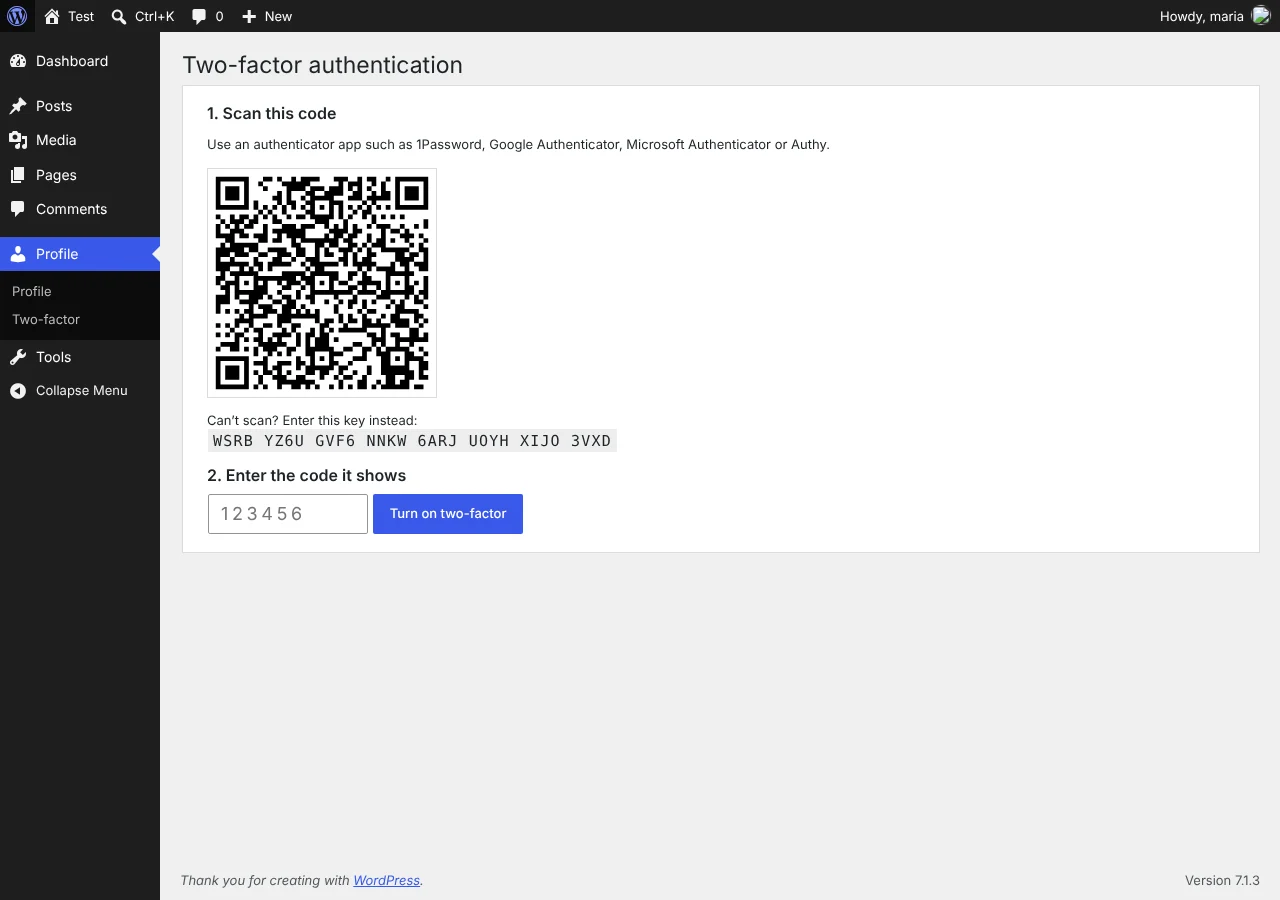
Two-factor uses six-digit codes from any authenticator app (1Password, Google Authenticator, Microsoft Authenticator, Authy and others), plus 10 single-use backup codes. You can require it by role. Administrators are required by default and have to set it up before they can use the dashboard.
Two details matter more than they look. Every login session records that it passed two-factor, so plugins that log people in another way can’t quietly skip it. And the two-factor secrets are encrypted with a key kept outside the database, so a leaked database backup doesn’t hand over everyone’s codes.
Hardening that’s on from the start
- Blocks XML-RPC, and leaves it on automatically if Jetpack needs it.
- Blocks username scanning through
?author=, the REST API users endpoint, oEmbed and the users sitemap. - Turns off the theme and plugin file editor.
- Blocks PHP in the uploads folder, with a one-click test to confirm it actually works on your server.
- Sends security headers and hides the WordPress version. HSTS and turning off application passwords are optional.
Activity log and email alerts
The activity log records logins, failed logins, lockouts, two-factor events, new users, role changes, email and password changes, plugin and theme installs and updates, core updates, and changes to key settings such as the site address and admin email. You can filter it, search it and export it to CSV.
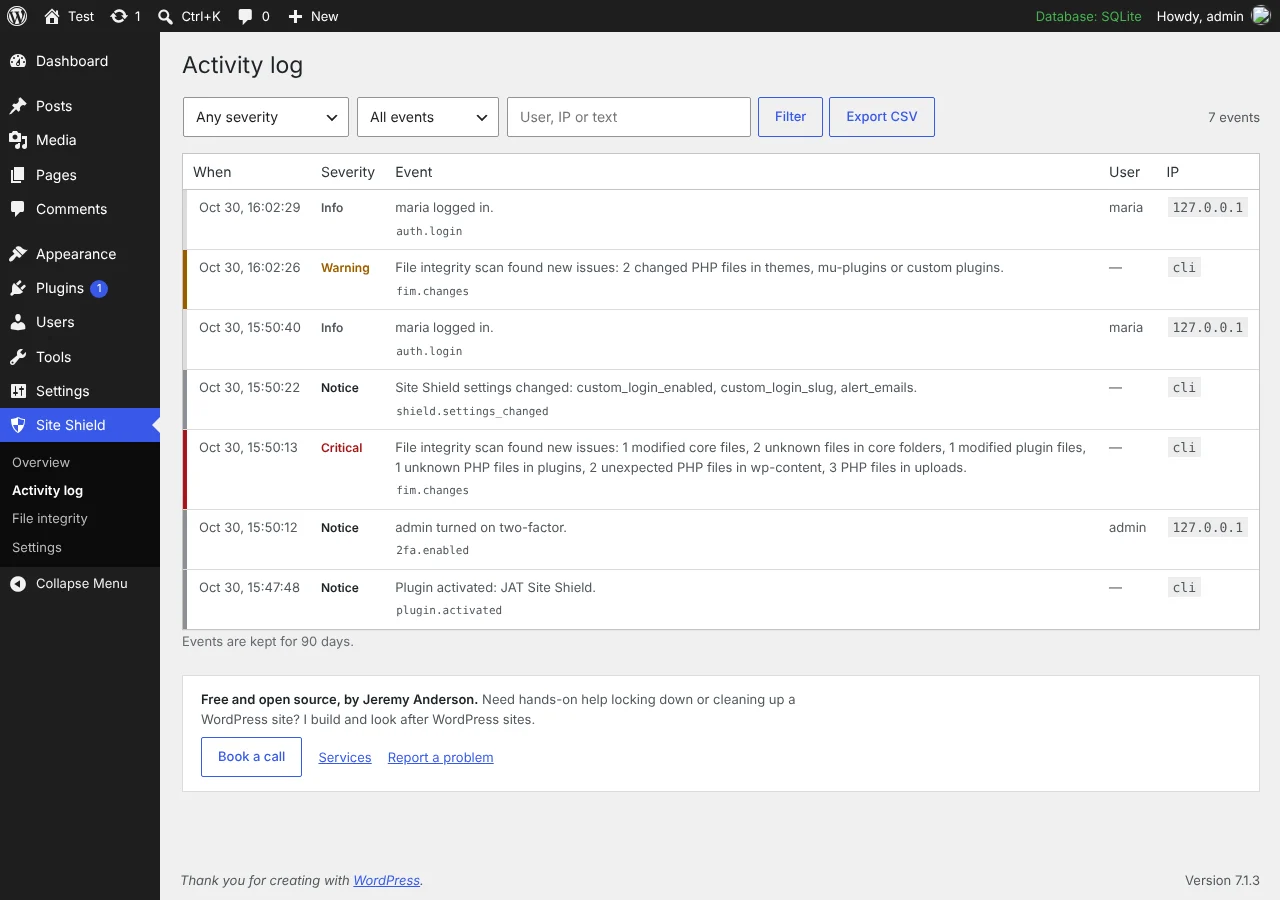
Critical events, or warnings too if you want them, are emailed to the addresses you choose. Alerts are capped at 10 an hour, so an attack can’t flood your inbox.
Daily file integrity checks
Once a day, Site Shield compares WordPress core and every plugin from WordPress.org with the official checksums. Themes, must-use plugins and plugins from elsewhere are compared with the previous scan instead. It flags modified files, unknown PHP files, PHP files in uploads (hidden folders included) and stray PHP files in wp-content. The scan runs in small steps in the background, so large sites don’t time out.
How it fits with JAT Shell Scanner
Site Shield keeps attackers out. JAT Shell Scanner, my other free plugin, checks whether one already got in. If you’ve never scanned a site, run the scanner first, clean up anything it finds, then install Site Shield to keep it that way.
How to install JAT Site Shield
The WordPress.org listing is in review. Until it’s approved, install it from GitHub:
- Download
jat-site-shield.zipfrom the latest GitHub release. - In WordPress, go to Plugins → Add New → Upload Plugin, choose the zip, then install and activate it.
- Set up two-factor for your administrator account when asked. Scan the QR code, enter the code, and save your backup codes in a password manager.
- Open Site Shield → Overview and work through anything on the checklist that isn’t green.
After that, I’d turn on Move the login page under Login protection, click Test it now under “Block PHP in the uploads folder”, and add an alert address under Monitoring and alerts. If you want to put the site behind Cloudflare’s free plan too, there’s a free Cloudflare setup guide in the repo.
FAQ
Is JAT Site Shield really free?
Yes. Everything in the plugin is free. There’s no paid version, no sign-up and no tracking, and the code is open source under GPLv2 or later.
Does it send any data to you?
No. The only outside requests it makes are to WordPress.org during the file scan, to download official checksums. Those send your WordPress version and site language, and each plugin’s slug and version. No personal data is sent.
What if I lock myself out?
Add define( 'JATSS_SAFE_MODE', true ); to wp-config.php. That pauses the custom login address, two-factor and lockouts while logging and hardening stay on. Remove it once you’re back in. With WP-CLI you can also run wp jat-shield login-url, wp jat-shield unlock or wp jat-shield reset-2fa.
Does it work with Cloudflare?
Yes. It detects Cloudflare by itself and reads real visitor IPs from Cloudflare’s header, but only when the request really comes from Cloudflare’s network, so the header can’t be faked.
Will it slow my site down?
No. Nothing heavy runs on page loads. The file integrity scan runs once a day in the background, in small steps.
Does it work on multisite?
Yes, but the custom login address is turned off on multisite.
Related project
See the JAT Site Shield project page for how it’s built, and JAT Shell Scanner to check a site that may already be compromised. If you’d rather have someone do this for you, see WordPress hardening, hacked site repair, or book a call.
