
Updated October 2026
In modern software development, writing quality code is only part of the equation. The real challenge often comes from coordinating changes, managing releases, reviewing contributions, and maintaining stable applications while development continues.
Whether you’re a solo developer managing multiple client websites or part of a team building complex web applications, an effective Git workflow can make the difference between organized development and constant frustration.
Over the years, working with custom WordPress themes, plugins, web applications, and AI-driven development projects has reinforced an important lesson for me:
A successful development workflow isn’t just about managing code. It’s about making collaboration predictable, reducing risk, and helping developers deliver better software.
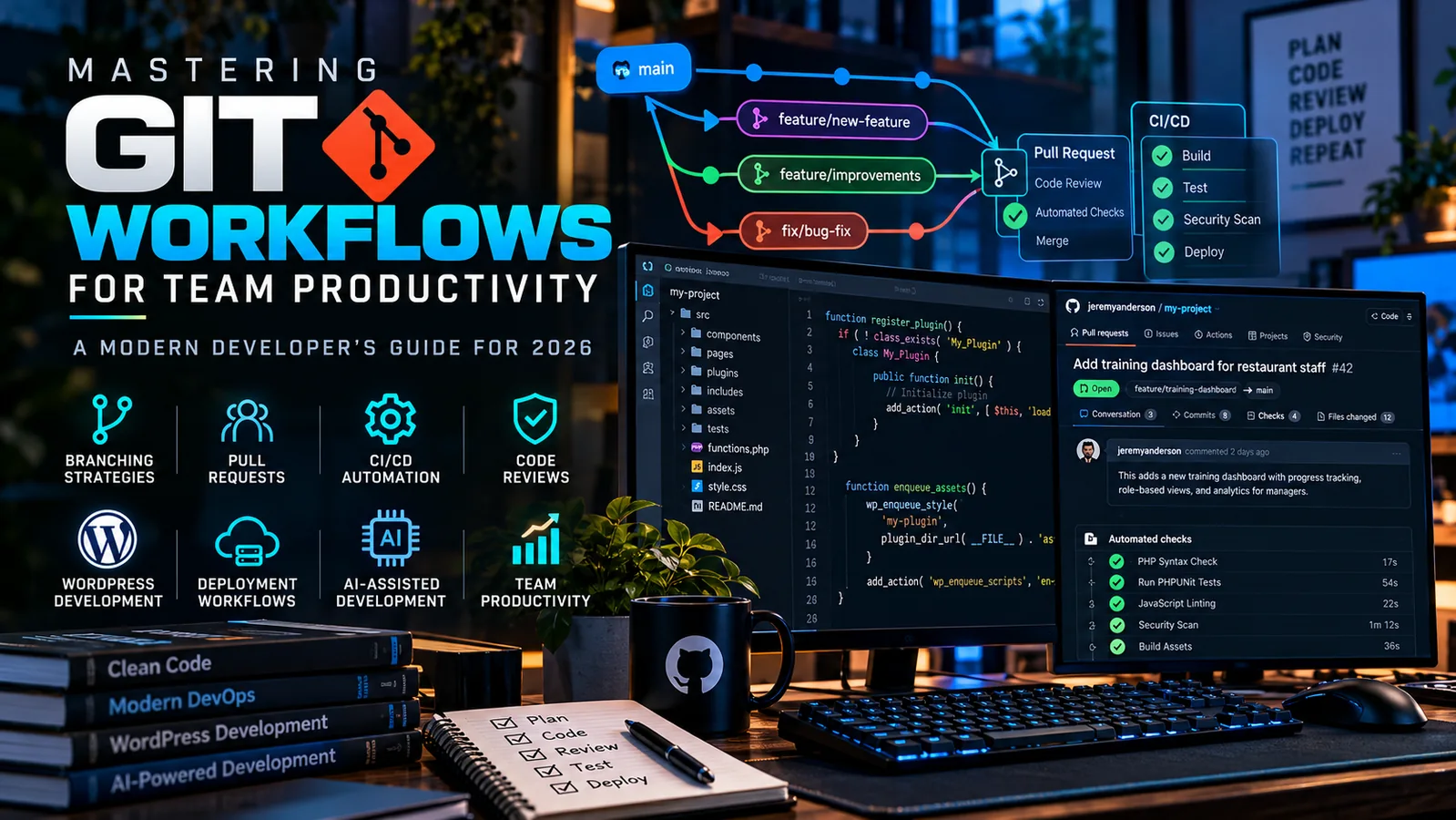
In this guide, I’ll explore modern Git workflows, branching strategies, pull requests, automated testing, continuous integration, and how AI-assisted development fits into the process in 2026.
What Is a Git Workflow?
Git is a distributed version control system that tracks changes to files over time.
It allows developers to work independently, create experimental branches, review changes, and restore previous versions when necessary.
A Git workflow is the set of conventions a development team follows when using Git.
It defines how developers create branches, submit changes, review code, resolve conflicts, and release new versions.
Git provides the underlying capabilities, while collaboration platforms such as GitHub add features for pull requests, automated workflows, repository permissions, and team communication.
Without clear conventions, even an experienced team can encounter duplicated work, conflicting changes, unstable releases, and deployment problems.
A good Git workflow aims to prevent those issues without creating unnecessary bureaucracy.
1. Choosing the Right Git Branching Strategy
There isn’t one branching strategy that works for every project.
The appropriate choice depends on team size, deployment frequency, release requirements, and the complexity of the application.
GitHub Flow: A Practical Default
For many modern web applications, GitHub Flow offers an effective balance between simplicity and structure.
It revolves around a primary branch, generally named main, and short-lived branches created for individual changes.
A typical process looks like this:
- Create a branch from the current
mainbranch. - Develop a feature or fix an issue.
- Commit and push the changes.
- Open a pull request.
- Run automated checks and review the changes.
- Merge the approved pull request.
- Deploy through the project’s established release process.
For example, imagine developing a new dashboard component for a WordPress plugin.
You might create a branch called:
feature/manager-dashboard
The work remains isolated until it’s ready to be reviewed and incorporated into the main codebase.
This is especially useful when several developers are working on different parts of an application simultaneously.
GitFlow: For Structured Release Cycles
GitFlow introduces additional branch types, commonly including main, develop, feature branches, release branches, and hotfix branches.
This approach can be useful when maintaining multiple supported versions or working with formal release cycles.
However, it also introduces additional merging and coordination overhead.
For websites and applications deployed continuously, GitFlow may be more complicated than necessary.
Trunk-Based Development: Small, Frequent Integrations
Trunk-based development emphasizes frequent integration into a shared primary branch.
Developers work with very short-lived branches or commit directly to the trunk under appropriate controls.
This model is often paired with automated testing, feature flags, and continuous delivery.
It works particularly well when teams can keep changes small and maintain a reliable test suite.
My preference: For most custom websites, WordPress plugins, and small development teams, I would start with GitHub Flow and introduce more elaborate release processes only when a project genuinely requires them.
2. Writing Meaningful Git Commits
A Git repository becomes much easier to manage when its history clearly explains what changed.
Consider the difference between these two commit messages:
fixed stuff
and
fix: prevent duplicate form submissions
The second message immediately communicates the purpose of the change.
I recommend using clear, consistent commit messages that describe what was accomplished.
A useful convention is:
feat:— Introduce functionality.fix:— Correct a defect.docs:— Update documentation.refactor:— Improve code structure without intentionally changing behavior.test:— Add or update tests.chore:— Perform routine maintenance.
For example:
feat: add employee training progress dashboard
or
fix: correct REST API permission validation
These conventions improve readability and can support automated release tooling if you decide to implement it.
Equally important is keeping commits focused.
A commit that changes one logical behavior is generally easier to review, test, and reverse than one containing several unrelated modifications.
3. Using Pull Requests to Improve Code Quality
Pull requests are among the most valuable tools in a collaborative Git workflow.
They create a structured place for discussing a change before introducing it into the primary branch.
A well-prepared pull request should explain:
What changed? Provide a concise summary of the implementation.
Why was it necessary? Describe the problem, requirement, or business goal.
How was it tested? Include relevant automated and manual testing results.
What should reviewers examine? Highlight sensitive areas, assumptions, or potential risks.
When working on WordPress applications, I would also include screenshots or short demonstrations for changes involving interfaces or administrative workflows.
Keep Pull Requests Manageable
Reviewing 150 lines of focused code is generally easier than reviewing several thousand lines that modify unrelated functionality.
Small pull requests encourage more thoughtful reviews and make problems easier to isolate.
Large changes are sometimes unavoidable, but they should be organized and explained carefully.
Code Reviews Are About More Than Finding Bugs
A code review can also improve maintainability, readability, security, accessibility, and architectural consistency.
It provides opportunities to exchange knowledge between developers and prevent implementation decisions from becoming isolated.
For a growing development team, this shared understanding is extremely valuable.
4. Protecting Your Main Branch
Your primary branch should represent a trusted state of the application.
If anyone can push unreviewed changes directly into main, errors can bypass the processes intended to keep your software stable.
GitHub provides branch protection rules and repository rulesets that can enforce requirements before changes are merged.
Depending on your repository and account configuration, these may include required pull requests, approving reviews, successful status checks, and restrictions on force pushes.
For client applications, I recommend establishing appropriate protections early rather than waiting until a serious deployment issue occurs.
For smaller teams, even a simple combination of required checks and controlled merging can make releases more predictable.
5. Automating Testing with GitHub Actions
One of the biggest improvements developers can make to their workflow is automating repetitive checks.
Continuous integration (CI) involves regularly integrating code changes and automatically validating them.
GitHub Actions provides a way to execute workflows when repository events occur, such as opening a pull request or pushing new commits.
Depending on the project, a CI pipeline might:
- Validate PHP syntax.
- Run PHPUnit tests.
- Check JavaScript formatting and linting.
- Execute automated application tests.
- Analyze dependencies for known vulnerabilities.
- Generate deployment artifacts.
For example, a custom WordPress plugin could run PHP syntax checks and automated tests whenever a developer opens a pull request.
If a check fails, the problem can be addressed before merging the code.
Automation doesn’t replace manual testing, but it reduces the chance that preventable problems reach production.
6. Creating a Reliable WordPress Development Workflow
WordPress introduces some unique considerations because the application includes PHP code, database-stored content, uploaded media, and third-party plugins.
Not everything belongs in Git.
For most custom WordPress projects, I recommend version-controlling the custom theme or plugin code rather than treating a complete production WordPress installation as an ordinary source-code repository.
A practical workflow could include:
Local development: Build and test changes using a local WordPress environment.
Git repository: Track the custom application code and relevant configuration templates.
Staging deployment: Deploy the change to a separate environment for integration and acceptance testing.
Production deployment: Release the approved version using a documented deployment process.
Rollback planning: Retain a known-good code release and appropriate database backups.
What Shouldn’t Go Into Git?
Avoid committing sensitive or environment-specific information such as passwords, private API keys, production credentials, and secret configuration files.
Large uploads, cache directories, and generated runtime data also generally belong outside the source repository.
WordPress databases require special attention because they contain application state and content that may change independently of the code.
Deploying a new version of a plugin is fundamentally different from restoring a production database.
A successful WordPress workflow needs to recognize that distinction.
7. Integrating Git with Cloud Hosting
A well-designed Git workflow becomes even more valuable when applications are hosted on platforms such as Cloudways.
The objective is to maintain a predictable path from local development to staging and production.
For example:
- Develop a feature locally.
- Commit and push the changes to GitHub.
- Create a pull request.
- Run the automated checks.
- Review and merge the approved change.
- Deploy the approved code to staging.
- Verify application functionality.
- Release the tested version to production.
A team may automate parts of this process using CI/CD pipelines or the hosting provider’s supported deployment mechanisms.
The important consideration is ensuring that deployment credentials are protected and that production changes are traceable.
For higher-risk deployments, I would also establish explicit approval gates and a documented rollback procedure.
8. Improving Collaboration with Issues and Project Management
Git works best when code changes can be connected to the problems they’re intended to solve.
GitHub Issues and project-management tools can help teams track requirements, bugs, technical debt, and future enhancements.
For example, an issue might describe a problem with a plugin’s REST API authentication.
A developer can create a branch, implement a fix, and link the resulting pull request to the issue.
This creates a traceable sequence from the original requirement to the merged implementation.
For client work, that history is useful when preparing reports, reviewing completed tasks, and explaining development decisions.
It also makes it easier for another developer to understand why a particular change was introduced.
9. Where AI-Assisted Development Fits in 2026
AI coding tools have introduced new opportunities for developer productivity.
They can help explain unfamiliar code, generate initial implementations, suggest tests, assist with refactoring, and identify possible bugs.
But AI-generated code still needs a reliable review process.
I treat AI-assisted development as part of the development workflow, not as a replacement for it.
An AI-generated implementation should meet the same standards as human-written code.
That means validating the requirements, reviewing the changes, checking dependencies, running tests, and confirming that the implementation behaves correctly.
This is particularly important for security-sensitive code involving authentication, permissions, database operations, or external APIs.
My Recommended AI-Assisted Git Workflow
Start with a clearly defined issue or task.
Use an isolated feature branch for the implementation.
Allow AI tools to assist with coding, documentation, or initial test generation when appropriate.
Review the resulting diff carefully and test the actual behavior.
Then submit the changes through the same pull-request and CI process used for any other contribution.
This approach captures potential efficiency gains without lowering the team’s standards for code quality.
10. Common Git Workflow Mistakes to Avoid
Even experienced developers can develop habits that create unnecessary risk.
Working directly on production code: This makes it harder to test, trace, and reverse changes.
Using long-lived feature branches: The longer branches diverge, the more complicated integration can become.
Combining unrelated changes: Large, unfocused commits make debugging and code reviews harder.
Skipping automated checks: Simple defects can reach production when validation is inconsistent.
Committing secrets: Credentials should be managed through appropriate secret-management systems, not ordinary source files.
Treating AI output as automatically correct: AI-generated code requires human review and meaningful testing.
Ignoring rollback procedures: A deployment process is incomplete if the team has no practical way to recover from a failed release.
Addressing these issues often improves productivity more than introducing another development tool.
11. A Practical Git Workflow for Small Development Teams
For a small agency or development team working on WordPress websites, custom plugins, and web applications, I recommend starting with a straightforward process.
Step 1: Create an Issue
Document the feature, bug, or technical requirement.
Step 2: Create a Focused Branch
Use descriptive names such as:
feature/client-dashboard
fix/permission-check
refactor/api-service
Step 3: Develop and Test Locally
Make incremental changes, run applicable tests, and keep commits meaningful.
Step 4: Open a Pull Request
Summarize the change and explain how it was validated.
Step 5: Run Automated Checks
Use GitHub Actions or another CI system to identify preventable problems.
Step 6: Review and Merge
Confirm the code meets the project’s technical and security requirements.
Step 7: Deploy and Verify
Deploy through staging and production according to the project’s established release process.
Step 8: Monitor and Document
Confirm the application behaves as expected and update the project documentation when necessary.
This workflow is simple enough for a small team while providing a foundation that can scale as projects become more complex.
12. Measuring the Impact on Team Productivity
A Git workflow should improve delivery, not simply introduce additional procedures.
Teams can evaluate their process by examining questions such as:
- How frequently can we deploy successfully?
- How long does it take to review a pull request?
- How often do releases require urgent fixes?
- How quickly can we recover from failed deployments?
- Are developers spending unnecessary time resolving merge conflicts?
- Can new team members understand the development process?
Metrics can help identify bottlenecks, but they need to be interpreted carefully.
For example, more commits or pull requests do not automatically mean greater productivity.
The outcome that matters is whether the team can deliver reliable software efficiently and sustainably.
Final Thoughts: Better Git Workflows Build Better Teams
Git is much more than a way to save versions of your code.
When combined with sensible branching strategies, code reviews, automated testing, and disciplined deployment practices, it becomes the foundation of a reliable software development process.
As AI-assisted coding becomes a more common part of development, these fundamentals are becoming even more important.
Generating code faster only creates value when teams can understand, validate, integrate, and maintain what they build.
For developers working independently, these practices make projects easier to manage.
For agencies and development teams, they help establish consistency, accountability, and confidence in every release.
The best Git workflow isn’t the most complicated one. It’s the one your team can follow consistently while producing reliable software.
About the Author
I’m Jeremy Anderson, a software developer, cybersecurity specialist, and AI consultant working with WordPress, custom web applications, automation, and modern software development technologies.
Through Jeremy Anderson Tech, I help businesses build, secure, and improve their digital systems while exploring practical applications of emerging technologies.